

Chantilly Highlands Dolphins
Photo Upload Instructions
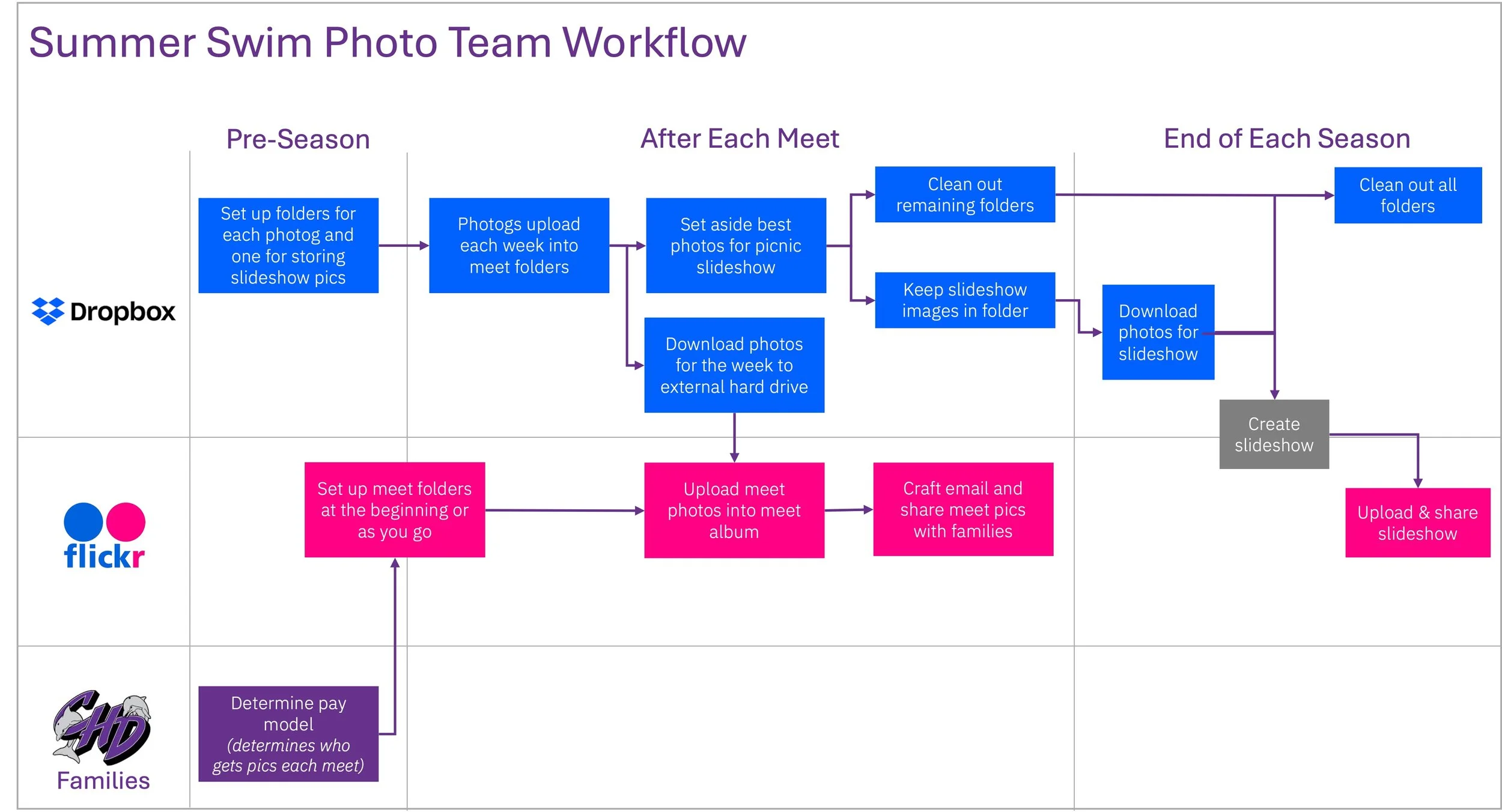
Basic workflow for summer swim photography.
Basics
Gmail & Drive Credentials
Email: CHD.pictures@gmail.com
Password: SummerSwim25!
Recovery Email: ethanmeurlinphotography@gmail.com
Dropbox Credentials
Sign In using CHD.Pictures Gmail credentials
Have folders for others to upload to set up by year.
Flickr Account Name & Credentials:
URL: https://www.flickr.com/photos/199299035@N04/
Account Name: Chantilly Highlands Dolphins
User Name: chd.pictures@gmail.com
Password: CHDolphins2!@
Flickr How-Tos
Set Up a New Album:
Navigate to the CHD account
Click on "Albums"
Click the "New Album" Icon on the right side of the screen just below the main ribbon (it’s the stacked box with plus sign in it)
Name the Album with the current year
Add Photos to an Album:
Navigate to our team page
At the top right is the upload icon. (cloud with embedded arrow). Click that
Select and drag photos you want to upload into the grey area that says, "Drag & drop photos and videos here"
IMPORTANT TIME SAVER HERE: Once all the photos appear in preview mode, on the left side navigation bar is "Add to albums.” You want to select the appropriate year.
If you don't upload photos this way, they are added to the general photostream and you have to find each photo and move them ot the album. This absolutely sucks so get step 4 right.
At the top right, click on "Upload XXX photos"
Review the settings, then click "Upload" and the upload starts
You're done!
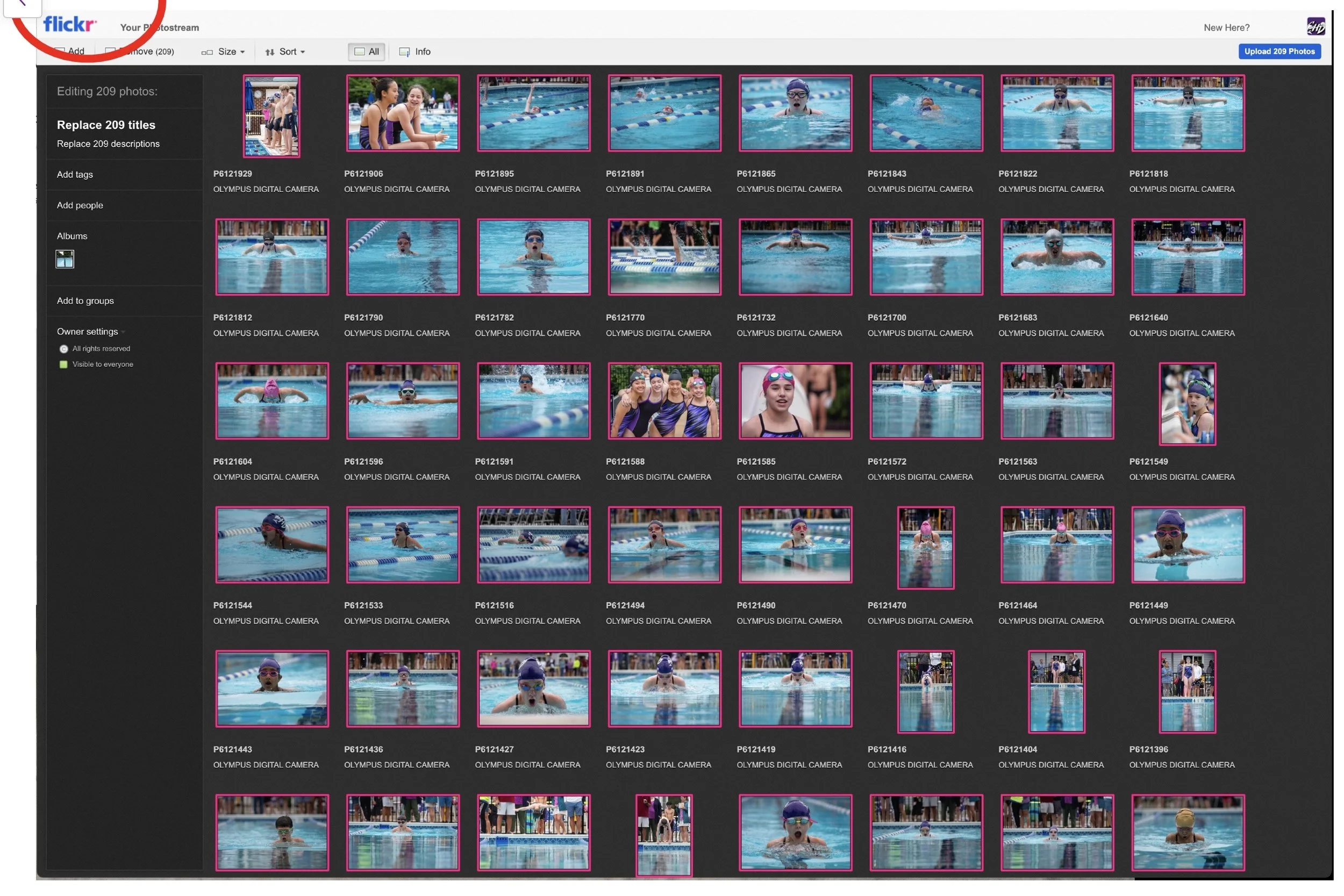
Photo Upload Screen. Note step three to save tons of time moving individual photos
Verify Security:
Navigate to the CHD account
Click on "Albums"
Select an album
Click "Edit in Organizer" at the top
At the top of that screen, click "Batch Edit"
Select "Hide/Show in Public Searches" (selecting this option is how we establish security without having to distribute the account via individual/family emails every time we launch a new album)
Share Photos:
Set up album
Share with Guest Pass (does not require users to log into a Flickr account): https://www.flickrhelp.com/hc/en-us/articles/4404069601172-Create-or-delete-temporary-Guest-Passes-in-Flickr
Flickr Education for Families